.svg)

- Best Shopify App for Influencer Marketing: Boost Your Sales with Afluencer
- What is Influencer Marketing?
- Should You as a Shopify Store Owner Consider Influencer Marketing?
- Meet Afluencer: The Platform That Makes Collaboration Easy
- Scaling a Shopify Store? Influencer Hero Handles the Volume
- How to Get Started with Afluencer on Shopify
- Tips for Selecting Influencers and Running Better Campaigns
- Why Afluencer Works for Shopify Stores
- Final Thoughts on the Best Shopify Influencer App
Best Shopify App for Influencer Marketing: Boost Your Sales with Afluencer
Best Shopify influencer app? That's a big title. But when it comes to finding creators, managing campaigns, and actually boosting sales, Afluencer earns it.
Influencer marketing has quickly become one of the most effective strategies for Shopify store owners. Why? Because people trust people. When the right influencer shouts out your product, your store gets traffic, trust, and sales. Fast.
In this guide, you'll learn what influencer marketing is, why it matters for your Shopify business, what Afluencer costs, and how it makes the whole process simple. Easier outreach, smoother collaboration, campaigns that convert.
Let's get into it.
What is Influencer Marketing?
Influencer marketing is a strategy where brands collaborate with people who have a significant online following to promote products or services. These creators use their credibility and reach to shape their audience's purchasing decisions.
The impact on ecommerce is substantial and growing. On Cyber Monday 2025, affiliates and partners, a category Adobe uses to include social media influencers, accounted for 21.8% of U.S. online retail revenue, up 7.4% year over year. Across the full 2025 holiday season, that category drove 20.4% of revenue, a 15.9% jump from the year before.
Social media as a whole drove 3.6% of Cyber Monday revenue, up 56.5% year over year, which was the fastest growth of any traditional marketing channel. Adobe has also found that influencer content converts shoppers at roughly six times the rate of general social media traffic.
Surveys consistently show a large share of consumers have bought something based on a creator's recommendation. The pattern is clear: creator-driven traffic converts better than almost anything else in the ecommerce mix, and its share keeps climbing.
Should You as a Shopify Store Owner Consider Influencer Marketing?
Influencer marketing isn't just trendy. It's strategic.
Shopify store owners need visibility, trust, and loyal customers. Influencer marketing delivers all three, quickly. With the right creators on your side, you're not just putting products in front of people. You're making your brand part of their lifestyle.
Here's how it works: influencer campaigns build brand awareness by showing your store to the right audience. They drive traffic by sparking curiosity and clicks. And they lift conversions, because a recommendation from a trusted voice feels more credible than an ad.
It doesn't stop at the first sale. When a creator shares your product, they're starting a relationship between your brand and their followers. That connection leads to repeat buyers, word-of-mouth growth, and a community around your store.
Whether you're launching something new or trying to increase Shopify sales, influencer marketing is the move. Especially with the right Shopify influencer app in your back pocket.
Meet Afluencer: The Platform That Makes Collaboration Easy
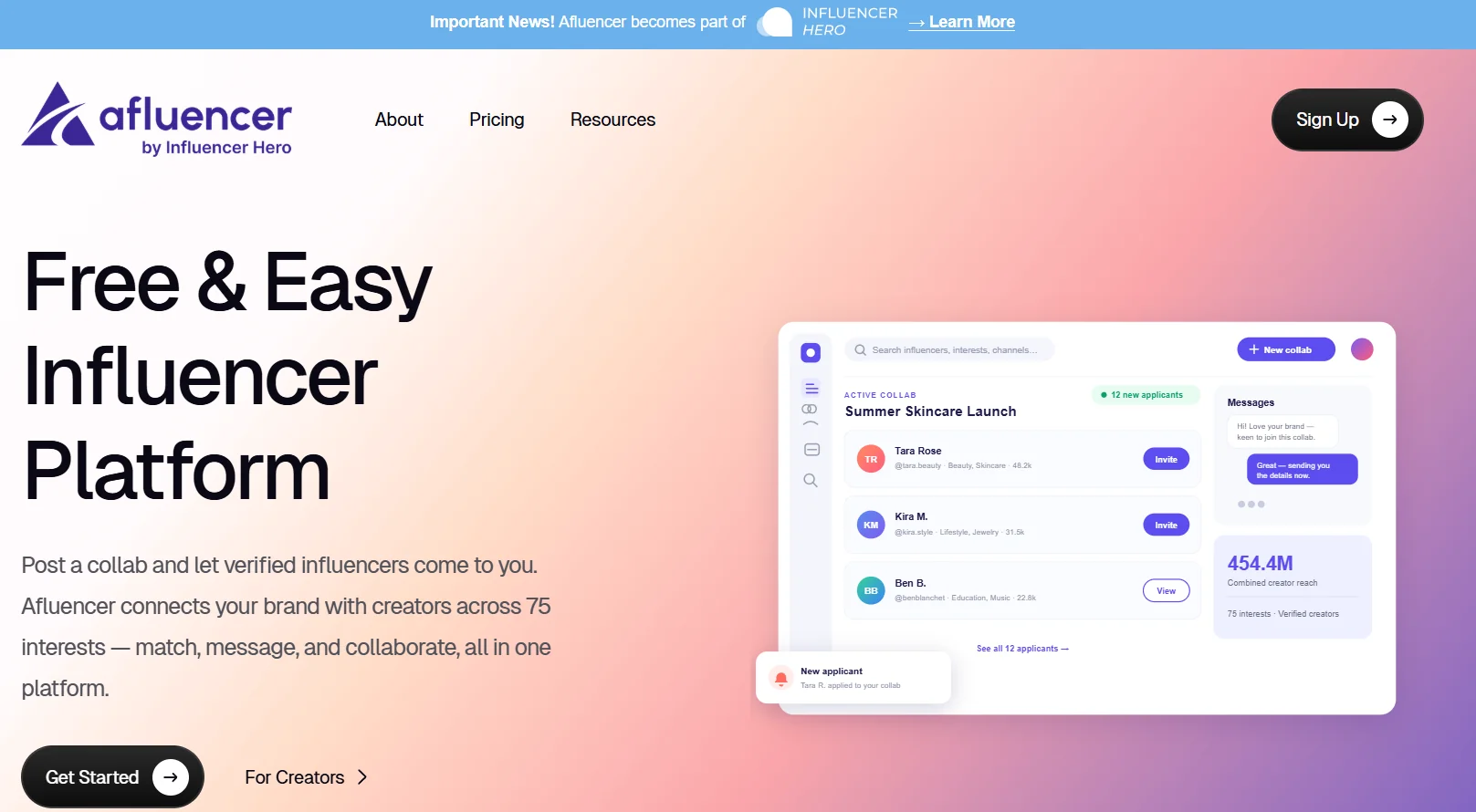
The best Shopify influencer app should make influencer marketing easy and effective. Afluencer does that by living inside your existing setup. Install it from the Shopify App Store and you're ready to go. No switching platforms, no clunky workarounds.
Once installed, Afluencer connects directly to your Shopify backend and gives you instant access to your product catalog when setting up collaborations. Want creators to promote a specific product like a hoodie, a skincare set, or a digital planner? Assign products to creators straight from your dashboard without leaving the app.
Afluencer also gives you a curated directory of creators across Instagram, TikTok, and YouTube. Smart filters let you search by niche, audience size, location, and engagement. Whether you sell handmade jewelry or custom meal plans, you'll find creators who fit. Our roundup of top creators gives you a feel for who's active on the platform.
When creators apply to your brand, you review their profiles, check engagement stats, and message them directly inside the app. No digging through emails or juggling three tools. Everything stays organized in one place, synced with your store.
Key Benefits of Using Afluencer for Your Shopify Store
- Streamlined collaboration. From first outreach to campaign execution, Afluencer's built-in messaging and project tools keep you organized. Communicating, approving content, and tracking deliverables all happen in-app, with the Shopify integration keeping product data in sync.
- Dedicated support. Whether you're new to influencer marketing or stuck on a specific feature, Afluencer's support team is available seven days a week to keep campaigns on track.
- Customizable partnerships. Offer free products, set up commission-based payments, or create special discount codes. You tailor the deal to your margins and your goals.
What Afluencer Costs for Shopify Stores
Afluencer publishes its pricing, which is rarer in this category than it should be.
- Marketplace, $49 per month. Post Collabs, receive unlimited creator applications, 60 invite credits per month, premium search filters, and support by phone, email, and live chat.
- Standard, $649 per month. 1,000 reach outs per month, product shipping, and influencer payments.
- Pro, $1,049 per month. 5,000 reach outs, a dedicated account manager, and three or more seats.
No onboarding fees, no per creator charges, and no long term contracts. Every tier is listed on the pricing page so you can size your plan before you commit.
For a Shopify store getting started with creators, the Marketplace plan covers the job. Stores running influencer marketing as a primary acquisition channel, with high creator volume and real revenue attribution requirements, usually need more, which brings us to the next section.
Scaling a Shopify Store? Influencer Hero Handles the Volume
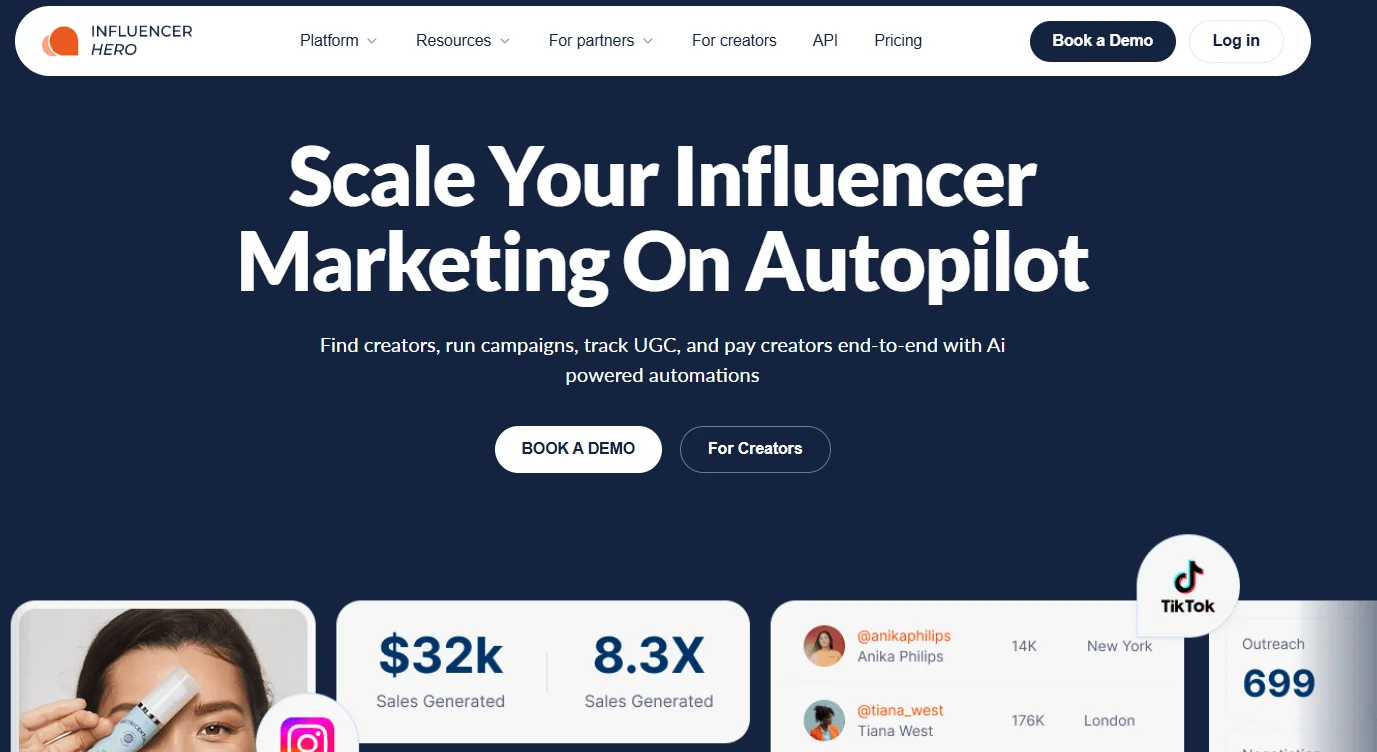
Afluencer and Influencer Hero belong to the same family, so here's the straightforward version. Afluencer is the ideal choice for stores getting started with creators. Stores that want to scale and work with a lot of creators at once need Influencer Hero.
The gap shows up in attribution. A marketplace helps you meet creators and ship product. It won't tell you which creator drove $8,400 in revenue last month and which one drove $60.
What Influencer Hero adds for a Shopify store:
- Native Shopify integration for gifting, with automated order creation and fulfillment tracking
- Affiliate links and unique discount codes per creator, so every sale ties back to a source
- Sales attribution and ROI reporting that show revenue per creator, not just engagement
- Automated payouts, including commission calculations, so you're not running payments manually
- Automated outreach sequences with follow ups across Instagram, TikTok, and YouTube
- A full influencer CRM tracking every creator by stage, from first contact to content live
Pricing: Standard at $649 per month, Pro at $1,049 per month, and Business at $2,490 per month. All published, no quote process.
The rule of thumb: if you're running a few Collabs a month and shipping product yourself, Afluencer is right. If you're managing a hundred creators and need to know which ones are profitable, it's time to move up.
Book a demo with Influencer Hero to see the Shopify gifting, affiliate, and attribution workflow on your own store.
How to Get Started with Afluencer on Shopify
Getting started is simple. A few steps and your first campaign is live.
1. Install the Afluencer App
Head to the Shopify App Store, search for Afluencer, click "Add App," and follow the prompts. The app integrates with your Shopify backend so your store and your influencer tools talk to each other.
2. Set Up Your Afluencer Account
Create your Afluencer account if you don't have one. After setting up your profile, connect your Shopify store under My Account, then Sales Channels. This syncs your product listings and store details so creators can select products directly from your catalog.
3. Create Your Campaign
Set up your campaign inside Afluencer. Choose which products you want promoted, then set your creator preferences: minimum follower count, niche, location, and whether the deal is commission-based, gifted, or pay-per-post. Once the Collab is live, creators start applying.
4. Discover Creators
Don't want to wait for applications? Make the first move. Use the search filters to find and invite creators who match your brand, filtering by niche, follower count, and engagement rate. Save the ones you like for future campaigns. If you want a deeper process for this, our guide on how to hire micro influencers walks through vetting properly.
5. Reach Out and Begin Collaboration
Once you've found the right creator, use the built-in messaging to send a pre-set or custom pitch. Introduce your brand, lay out the collaboration details, and get moving. Everything stays in one thread, so nothing gets lost.
Tips for Selecting Influencers and Running Better Campaigns
Selecting creators:
- Choose creators whose values and audience align with your brand
- Micro influencers, roughly 10K to 100K followers, often deliver better engagement and feel more authentic
- Prioritize engagement rate over follower count. Our micro influencer guide covers what to look for
- Newer platforms layer in AI matching so you can describe your ideal creator instead of building filters by hand
Creating promotions that convert:
- Offer promo codes, discounts, or exclusive bundles to drive purchases
- Make sure the promotion feels natural inside the creator's usual content
- Be clear on product messaging and how you want it presented
Tracking results:
- Use affiliate links or unique promo codes so every sale traces back to a creator
- Monitor engagement to gauge which content styles land
- Ask creators what worked with their audience and apply it to the next round
Why Afluencer Works for Shopify Stores
These stories highlight how Afluencer's personal approach and simple interface help store owners get real results, whether through gifted collaborations or affiliate campaigns. The platform makes influencer marketing accessible for Shopify stores that don't have a dedicated creator team.
Final Thoughts on the Best Shopify Influencer App
Most Shopify owners don't abandon influencer marketing because it doesn't work. They abandon it because it turns into a mess of DMs, spreadsheets, and gifted product nobody posted about. The tool you pick is what decides whether the channel becomes a habit or a headache.
Afluencer solves that at the starting line. It installs from the Shopify App Store in minutes, syncs your catalog so you can assign products without leaving the dashboard, and puts creator discovery, applications, and messaging in one thread. Pricing is published from $49 per month, so you can see exactly what you're paying for before you enter a card. For a store running a handful of Collabs and figuring out which creators actually move product, that's the whole job.
The math changes once it's working. When you're managing a hundred creators instead of five, the question stops being "who should I work with" and becomes "which of these partnerships is actually profitable." That's where Influencer Hero comes in, with affiliate links and discount codes per creator, automated payouts, and Shopify attribution that shows revenue by creator instead of engagement by post.
Frequently Asked Questions
<details class="ih-faq"><summary>How much does Afluencer cost for Shopify stores?</summary><div class="ih-faq-a">Afluencer's brand pricing starts at $49 per month on the Marketplace plan, which covers Collabs, unlimited creator applications, 60 invite credits per month, and premium filters. Standard is $649 per month and Pro is $1,049 per month, both with higher reach out limits, product shipping, and creator payments. There are no onboarding fees, per creator charges, or long term contracts.</div></details><details class="ih-faq"><summary>Can Afluencer track influencer campaign performance and ROI?</summary><div class="ih-faq-a">Afluencer connects to your Shopify store to manage collaborations, assign products, and track deliverables, and it surfaces engagement stats on creator profiles. For revenue attribution at the individual creator level, including affiliate links, unique discount codes, and reporting on sales per creator, Influencer Hero is the platform built for that.</div></details><details class="ih-faq"><summary>What platforms does Afluencer work with besides Shopify?</summary><div class="ih-faq-a">Afluencer connects you with creators across Instagram, TikTok, and YouTube, and the app is built as a Shopify integration for ecommerce stores. If you run on WooCommerce or a custom store and need native gifting and affiliate workflows, Influencer Hero supports those setups.</div></details><details class="ih-faq"><summary>How do you pay influencers through Afluencer?</summary><div class="ih-faq-a">Afluencer supports flexible compensation models including gifted product, commission-based payments, and special discount codes, so you can match the offer to your margins. Creator payments are available on the Standard and Pro plans.</div></details><details class="ih-faq"><summary>Is influencer marketing suitable for small Shopify stores?</summary><div class="ih-faq-a">Yes. Influencer marketing works for stores of any size by building awareness, driving traffic, and converting through trusted recommendations. Starting with micro influencers on a $49 per month plan keeps the initial spend low while you learn what content converts for your products.</div></details><script type="application/ld+json">{"@context":"https://schema.org","@type":"FAQPage","mainEntity":[{"@type":"Question","name":"How much does Afluencer cost for Shopify stores?","acceptedAnswer":{"@type":"Answer","text":"Afluencer's brand pricing starts at $49 per month on the Marketplace plan, which covers Collabs, unlimited creator applications, 60 invite credits per month, and premium filters. Standard is $649 per month and Pro is $1,049 per month, both with higher reach out limits, product shipping, and creator payments. There are no onboarding fees, per creator charges, or long term contracts."}},{"@type":"Question","name":"Can Afluencer track influencer campaign performance and ROI?","acceptedAnswer":{"@type":"Answer","text":"Afluencer connects to your Shopify store to manage collaborations, assign products, and track deliverables, and it surfaces engagement stats on creator profiles. For revenue attribution at the individual creator level, including affiliate links, unique discount codes, and reporting on sales per creator, Influencer Hero is the platform built for that."}},{"@type":"Question","name":"What platforms does Afluencer work with besides Shopify?","acceptedAnswer":{"@type":"Answer","text":"Afluencer connects you with creators across Instagram, TikTok, and YouTube, and the app is built as a Shopify integration for ecommerce stores. If you run on WooCommerce or a custom store and need native gifting and affiliate workflows, Influencer Hero supports those setups."}},{"@type":"Question","name":"How do you pay influencers through Afluencer?","acceptedAnswer":{"@type":"Answer","text":"Afluencer supports flexible compensation models including gifted product, commission-based payments, and special discount codes, so you can match the offer to your margins. Creator payments are available on the Standard and Pro plans."}},{"@type":"Question","name":"Is influencer marketing suitable for small Shopify stores?","acceptedAnswer":{"@type":"Answer","text":"Yes. Influencer marketing works for stores of any size by building awareness, driving traffic, and converting through trusted recommendations. Starting with micro influencers on a $49 per month plan keeps the initial spend low while you learn what content converts for your products."}}]}</script>